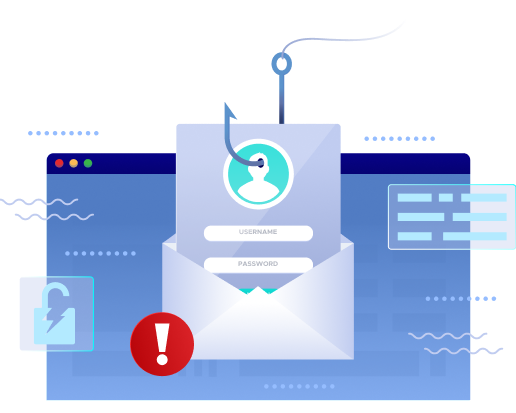
Email is the #1 entry point for cyberattacks.
More than 90% of breaches begin with a malicious email, and SMBs are often targeted because unsecured domains let attackers send messages that look legitimate.
A secure, healthy domain requires properly configured SPF, DKIM, DNS records, and alignment across every service that sends mail on your behalf. When even one setting is off, your emails can end up in spam, fail authentication, or get blocked by providers like Google, Microsoft, and Yahoo.
Our free scanner checks all these areas so you can catch issues early and understand exactly what’s affecting your domain’s trust and performance.
Unprotected domains are the easiest targets for phishing and spoofing attacks.
Use our free DMARC Domain Scanner to see whether your SPF, DKIM, and DMARC records are configured correctly and identify gaps that attackers can exploit.
Before you review your scan results, it helps to know what each authentication protocol does. SPF, DKIM, DMARC, and BIMI work together to verify your identity, protect your domain from misuse, and improve your chances of landing in the inbox. Here’s a quick breakdown of what each one means for your email security and deliverability.
Sender Policy Framework
SPF is the starting point of email authentication and focuses on who is allowed to send email for your domain.
SPF is a DNS record that tells the internet which servers are allowed to send email for your domain. When an email is sent, the receiving server checks the sending IP against your SPF list to confirm it’s legitimate. If a service you use isn’t listed, your emails may still send but fail authentication—leading to deliverability issues or spam placement.
DomainKeys Identified Mail
DKIM adds another layer of trust by confirming that your message hasn’t been changed on its way to the recipient.
DKIM adds a digital signature to your outgoing emails. The receiving server uses the public key in your DNS to verify the signature and confirm the message hasn’t been modified. Even if SPF passes, missing or misaligned DKIM can cause authentication failures and impact inbox placement.
Domain-based Message Authentication, Reporting & Conformance
DMARC brings everything together by checking whether SPF or DKIM align with your domain and deciding how providers should handle failures.
DMARC builds on SPF and DKIM to decide what should happen when an email fails authentication. It checks alignment (whether the “From” domain matches SPF or DKIM), provides reporting, and lets you enforce how receiving servers should treat suspicious emails. It’s the key protocol providers like Google, Yahoo, and Apple now expect all senders to use.
Brand Indicators for Message Identification
BIMI builds on strong authentication by giving you a visual trust signal—your verified logo appearing in supported inboxes.
While not an authentication protocol, BIMI rewards domains that enforce DMARC (p=quarantine or p=reject) by displaying a verified brand logo in supported inboxes. BIMI helps build trust and visually confirms that the message comes from you.
Securafy Can Manage Your Entire DMARC Journey
DMARC can be complex to configure and maintain—especially with multiple tools, email platforms, or third-party senders. Securafy handles the full process so you don’t have to.
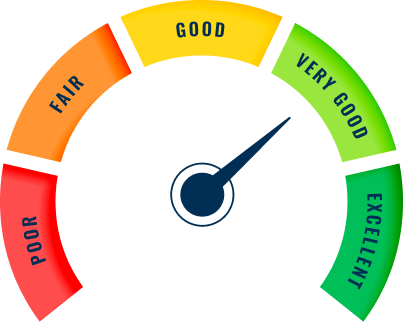
Protect your domain from phishing, spoofing, and Business Email Compromise (BEC) by enforcing authentication and blocking unauthorized senders.
See every service sending email on your behalf and monitor unusual or high-risk activity across SPF, DKIM, and DMARC reports.
Strengthen your domain’s trust score and ensure only legitimate, verified senders can use your name.
Increase inbox placement by meeting authentication requirements set by Google, Microsoft, and Yahoo.
Securafy takes you from no policy to p=reject safely—without disrupting your email flow.
We’ll take a look at your SPF, DKIM, DMARC, and deliverability results and recommend the simplest next steps for your business.

Get straightforward answers to the most common issues affecting SPF, DKIM, DMARC, BIMI, alignment, DNS records, and inbox placement.
A domain scanner analyzes the key DNS and authentication records—SPF, DKIM, DMARC, and BIMI—that determine whether your emails are trusted by providers like Google, Microsoft, and Yahoo. These authentication methods confirm that emails sent from your domain are legitimate and haven’t been spoofed. If any of these records are missing, misconfigured, or not aligned with your sending domain, mailbox providers may reject your messages, send them to spam, or flag your domain as high-risk.
A domain scanner gives you visibility across these areas, helping you pinpoint issues that directly affect inbox placement, brand reputation, and overall email security. It’s one of the fastest ways to diagnose deliverability problems and prevent attackers from impersonating your domain.
SPF (Sender Policy Framework) is a DNS record that lists the mail servers allowed to send email for your domain. When a message is sent, receiving servers check whether the IP address is included in your SPF record.
If your SPF record is missing or outdated—or if a service you use to send email isn’t listed—your messages may fail authentication. Failed or soft-fail SPF results increase spam filtration, reduce trust, and make your domain more vulnerable to spoofing.
A healthy SPF record ensures that all your legitimate sending sources (CRM tools, marketing platforms, ticketing systems, etc.) are properly authorized, which is essential for consistent deliverability.
DKIM (DomainKeys Identified Mail) adds a cryptographic signature to your outbound emails. This signature allows receiving servers to verify two things:
That the message was actually sent by the domain it claims to be from.
That the message wasn't altered in transit.
Platforms like Google, Yahoo, Microsoft, and iCloud expect all senders—including small businesses—to have DKIM enabled. Without DKIM, your domain lacks a critical layer of verification, and your emails are more likely to be flagged as suspicious or fraudulent.
DKIM is also a key requirement for DMARC alignment, which directly impacts your domain’s trust score and inbox placement.
DMARC (Domain-based Message Authentication, Reporting & Conformance) tells receiving servers what to do when SPF or DKIM checks fail. But the most important part of DMARC is alignment, which requires the domain in your “From” address to match the domain used in SPF or DKIM.
Even if SPF and DKIM pass, misalignment causes a DMARC fail—leading to lost emails, reduced deliverability, and a weakened domain reputation.
DMARC also provides reporting that shows who is sending email on your behalf, which helps you identify unauthorized senders, misconfigured systems, and potential spoofing attempts.
BIMI (Brand Indicators for Message Identification) allows your logo to appear in supported inboxes—but only if your domain has strong authentication in place. To qualify for BIMI, you must have DMARC at enforcement (p=quarantine or p=reject).
While BIMI isn’t required for email delivery, it increases brand trust, improves open rates, and provides a visual indicator that your messages are safe and verified. For SMBs, this can act as both a security measure and a credibility signal.
Your DNS is the foundation of your email identity. Missing or incorrect records mean mailbox providers can’t verify who you are, which leads to:
Soft or hard authentication failures
Spam folder placement
Blocking by major providers
Reduced domain reputation
Increased vulnerability to spoofing
A domain scanner identifies these issues early so you can fix them before they impact your inbox performance.
Any time you add a new tool that sends email—marketing software, ticketing systems, phone systems, invoicing tools—you should scan your domain again. Each sending service must be included in SPF (and ideally sign with DKIM) to avoid failures.
A monthly or quarterly scan is also recommended, since unexpected sending sources or misconfigurations can appear over time.
Incorrect or partially configured records can create silent deliverability issues that are difficult to diagnose without a scanner. For example, an SPF record with too many DNS lookups will fail; a DKIM record with formatting errors will cause signature verification issues; and a DMARC record with missing tags or incorrect syntax may cause enforcement to behave unexpectedly. Misconfigured authentication doesn’t just reduce inbox placement—major providers may throttle your mail, flag your domain as risky, or block messages entirely. A domain scanner helps surface these problems before they escalate.
Major email providers rely heavily on SPF, DKIM, and DMARC results to determine whether to trust and deliver your emails. When authentication consistently fails, providers may route your messages to spam, delay delivery, or block them. When authentication passes and aligns properly, your domain gains a stronger reputation, meaning faster delivery, higher inbox placement, and lower spam risk. These providers also use DMARC reports to detect spoofing attempts and suspicious activity tied to your domain.
With 2025 authentication requirements tightening, these signals matter more than ever.
Many SMBs assume email security is only a concern for large enterprises, but attackers often target smaller organizations because their authentication setup is easier to exploit. Without proper SPF, DKIM, and DMARC, an attacker can impersonate your domain, send fraudulent messages, trick customers, and damage your brand reputation. Beyond security, missing authentication directly affects deliverability—meaning invoices, proposals, login emails, and customer communication may fail to reach the inbox.
A domain scanner gives SMBs a simple way to monitor their authentication posture and fix issues before they impact daily operations.
DMARC helps keep your domain trusted across the tools your business relies on, makes it easier to catch misconfigurations before they turn into delivery issues, and creates a safer communication environment for both employees and customers.